

MDEX IMO Operation Guide

secondary title
IMO please complete the following three steps before starting:
1: Enter the exchange page to purchase MDX, HT, WBNB
2: After the exchange is completed, enter the fund pool MDX/HT, MDX/WBNB to add liquidity
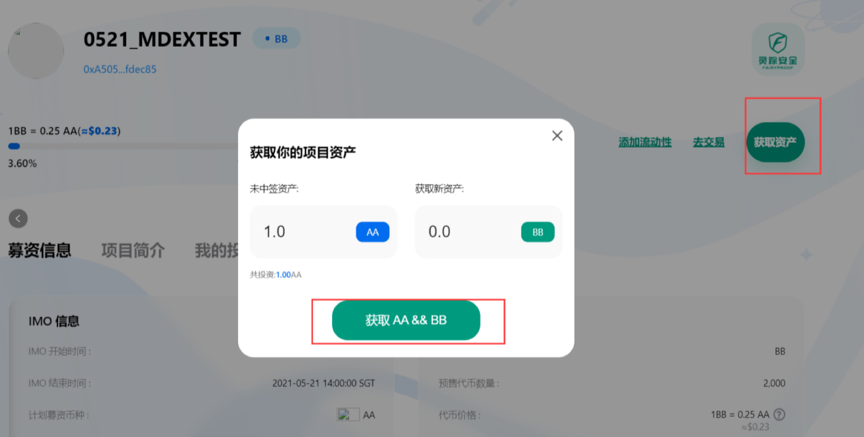
3: enterhttps://imo.mdex.com/#/The page participates in pledge
Note: HECO and BSC will launch IMO simultaneously, and the launch time will be from 20:00 to 22:00 on May 25, 2021; the following is a test environment tutorial, which is consistent with the operation of the official version. Please refer to the official version for participating tokens.
1. Enter the "IMO.MDEX.COM" IMO section, link the Fox Wallet, and click on the IMO interface navigation
Enter the IMO function page and prepare the tokens that need to be exchanged.
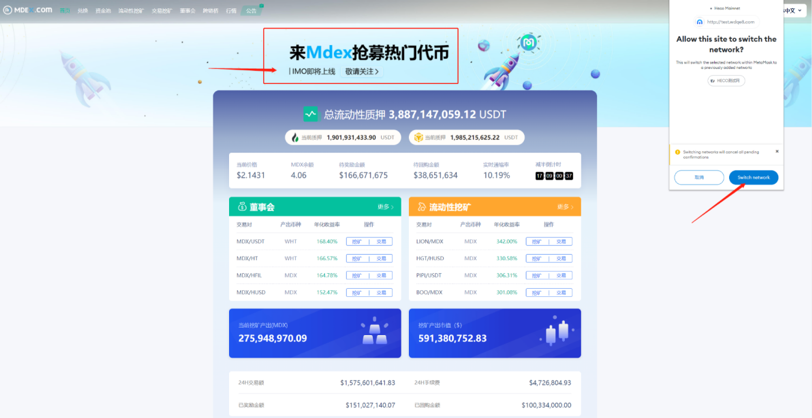
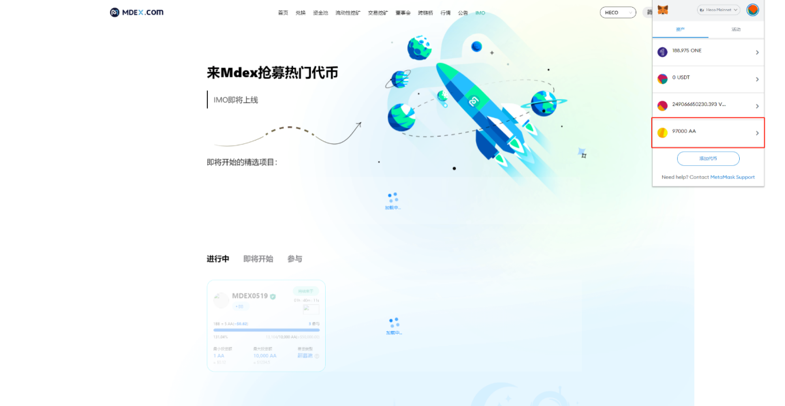
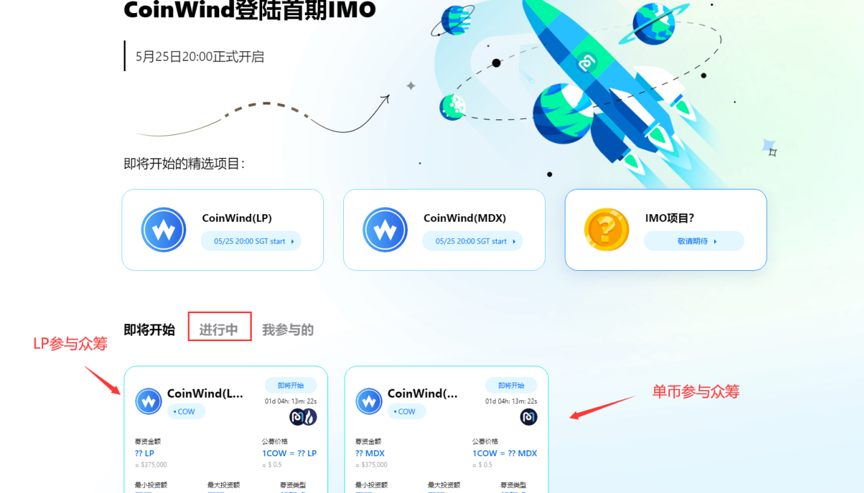
2. Enter the IMO function page, and you can choose the IMO project you want to participate in, as shown in the figure. "Ongoing" is an IMO project, click to participate.
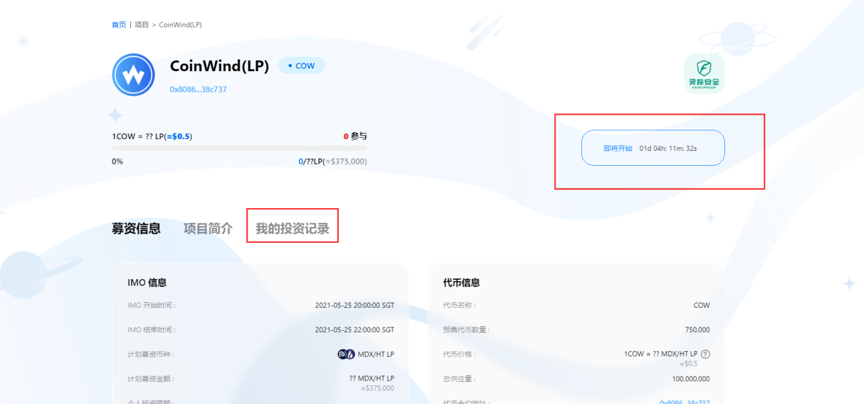
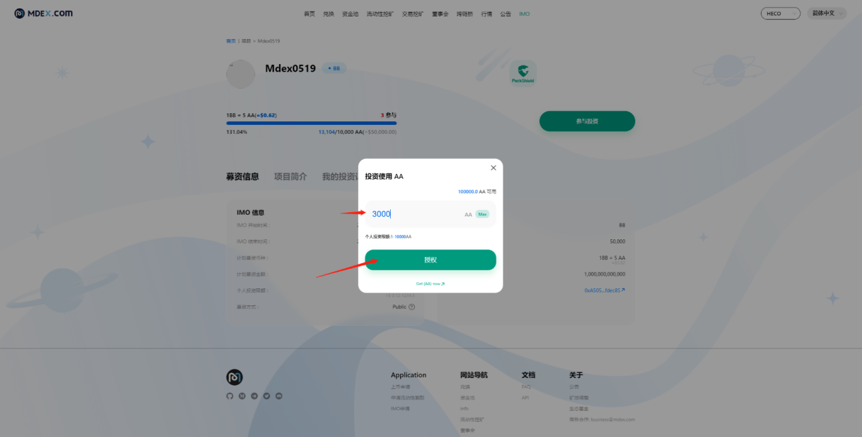
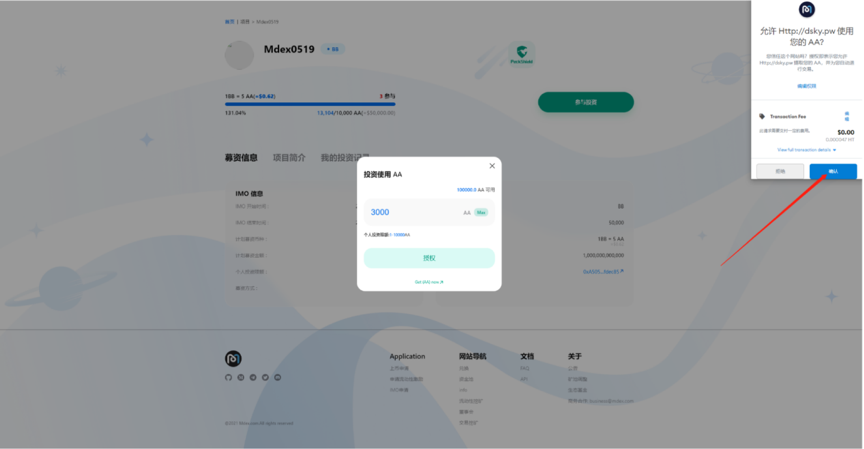
3. Fill in the number of tokens you want to invest, and authorize the wallet to confirm.
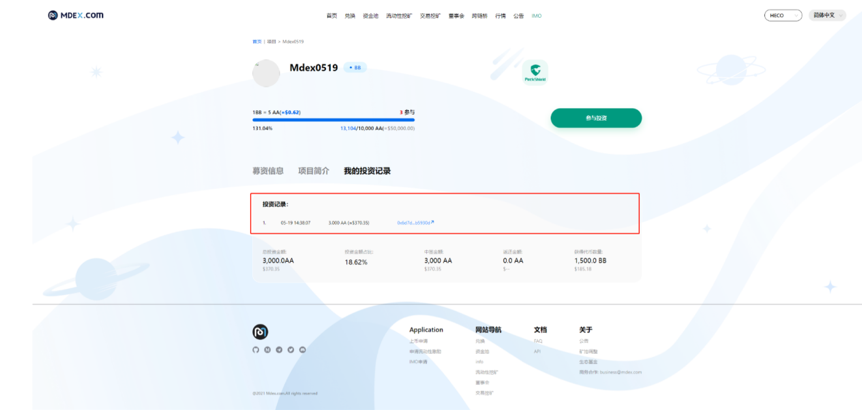
4. In "My Investment Records", you can see the investment records of participating in IMO projects.
5. After the exchange is completed, the user can directly withdraw the part of the funds that have not been awarded, or choose to withdraw together with the new assets. (Since the project party needs time for liquidation after the exchange is completed, it will take about 24 hours to receive new assets.)